Businesses have automated work for decades. Rules route invoices, scripts move data between systems, and workflow platforms send approvals from one person to the next. These systems remain useful because they do exactly what they are designed to do.
AI agents introduce a different operating model. Rather than following only a fixed sequence, an agent can interpret a goal, decide which permitted tools to use, observe what happens, and adjust its next step. That flexibility can help with work that contains ambiguity or exceptions—but it also introduces more uncertainty, cost and governance requirements.
The distinction matters because “AI automation” is now used to describe everything from a simple email classifier to software that can plan and execute multi-step tasks. Those are not the same thing.
This guide explains the differences, shows where each approach fits, and offers a practical way to choose.
The short answer
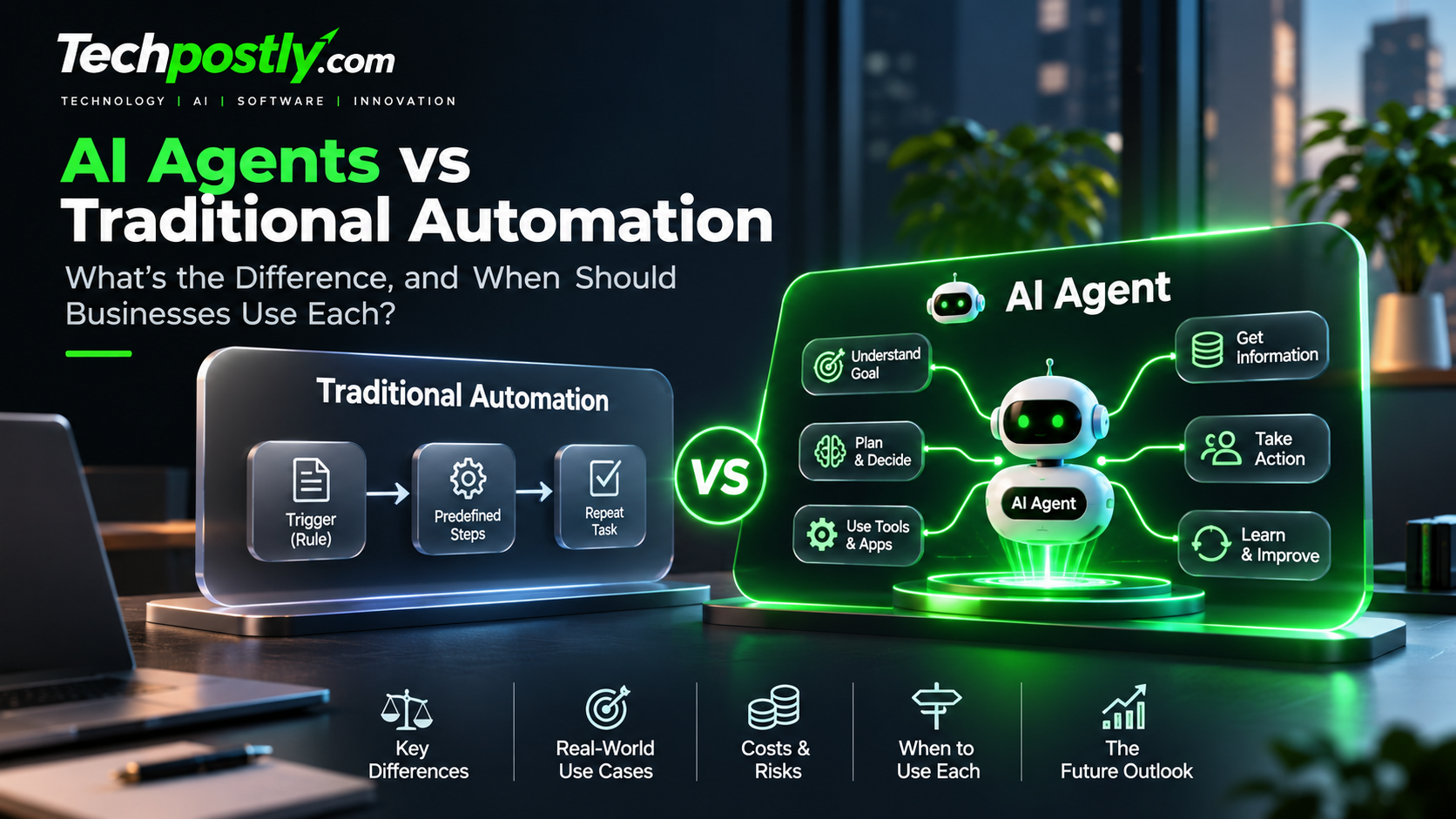
Traditional automation follows instructions. An AI agent works toward a goal within instructions and limits.
A conventional workflow might say: when a new enquiry arrives, assign it to the sales team, create a CRM record and send a confirmation email. The sequence is designed in advance.
An AI agent might be asked to research an incoming enquiry, identify the likely service requested, check relevant company information, prepare a recommended response and update a CRM record. It may choose among available tools and adapt if information is missing—provided those capabilities and permissions have been deliberately configured.
The difference is not that one is “old” and the other is automatically better. It is the difference between a predictable process and a system that can make bounded decisions while carrying out a task.
What is traditional automation?
Traditional automation uses explicit instructions, rules, triggers and predefined steps to carry out a process. It may be built with scripts, integrations, robotic process automation (RPA), business-process platforms or workflow tools.
A simple example:
- A customer submits a form.
- The system checks whether required fields are present.
- It creates a record in the CRM.
- It assigns the record based on territory.
- It sends a standard confirmation.
The workflow does not need to understand the customer’s broader intent. It executes the logic that its designers specified.
Where traditional automation is strongest
- Stable, repeatable processes: the same input conditions usually lead to the same steps.
- Clear rules: routing, calculations, notifications and status changes can be expressed precisely.
- Auditability: it is usually straightforward to trace which rule ran and what action followed.
- Predictable cost and speed: the process generally does not need repeated model inference to decide what to do.
- High-volume routine work: once tested, a workflow can process many similar transactions consistently.
Its limitation is equally clear: it can struggle when a situation falls outside the rules. A missing field, an unfamiliar document format or a new exception may cause a workflow to stop or send the case to a person. That is not necessarily a defect. For important processes, stopping safely can be the correct behavior.
What is an AI agent?
An AI agent is a software system that uses an AI model to manage some part of a task: interpreting the goal, selecting from available tools, deciding what to do next and checking the result. The exact level of autonomy varies widely.
A useful mental model is a controlled loop:
- Understand: interpret the user’s request and relevant context.
- Plan: identify a possible sequence of steps.
- Act: use an approved tool, such as a search function, database or business application.
- Observe: inspect the result returned by that tool.
- Adjust: continue, try another permitted route, ask a question or stop.
- Hand off: request human approval when a decision or action crosses a defined boundary.
An agent is not simply a chatbot with a confident tone. A chatbot that answers a question in one turn is not necessarily an agent. Nor does adding a language model to one step of a fixed workflow automatically make the entire process agentic.
The important architectural distinction is who controls the next step. In a fixed workflow, the developer’s predefined code path controls it. In an agentic system, the model has some authority to select the next step from a limited set of tools and rules.
AI agents vs traditional automation: the key differences
| Dimension | Traditional automation | AI agent |
|---|---|---|
| Process logic | Predefined rules and steps | Goal-directed decisions within boundaries |
| Handling variation | Uses programmed branches or escalates | May interpret context and choose another permitted path |
| Data | Often structured fields and known formats | Can work with unstructured text and varied inputs |
| Tool use | Integrations run at specified points | May select tools dynamically from those made available |
| Predictability | Usually higher for stable inputs | More variable; outputs need evaluation |
| Cost profile | Often predictable after setup | May include model, tool, monitoring and retry costs |
| Best fit | Repetitive, well-defined processes | Multi-step work with ambiguity or changing context |
| Oversight | Exception handling and process monitoring | Additional controls for decisions, permissions and actions |
These are general tendencies, not absolute laws. A sophisticated rule engine can handle many branches, and an agent can be constrained to a narrow, repeatable task. The architecture and controls matter more than the label on the product.
The middle ground: AI inside a traditional workflow
Many useful systems are neither fully conventional automation nor autonomous agents. They combine a fixed workflow with one or more AI-powered steps.
For example, a support-ticket process might:
- Receive a ticket through a standard workflow.
- Ask an AI model to classify the request and summarise the issue.
- Apply fixed rules to route the ticket.
- Ask a human to approve a sensitive response.
- Send the approved reply and record the outcome.
The workflow remains in control. AI handles the part that benefits from language understanding, while deterministic rules manage routing and permissions.
This pattern is often a sensible starting point. It adds flexibility where it is useful without handing the whole process to a system that may make unexpected decisions.
Practical business examples
1. Invoice processing
Traditional automation: read known fields from a structured invoice, match the supplier ID, check whether the amount is within an approval threshold and route it to the right person.
AI-assisted workflow: extract information from varied invoice layouts, flag uncertain fields, then pass the extracted data into the existing approval workflow.
Agent use: investigate a mismatch by checking approved records and policies, gathering evidence, and preparing a recommendation for an accounts team member. Payment release should remain subject to explicit controls and approval.
2. Customer support
Traditional automation: send a ticket to a department based on product, region or selected form fields.
AI-assisted workflow: classify the message, detect its language and prepare a summary before the ticket is routed.
Agent use: gather information from approved knowledge sources, check order status through a permitted integration, draft a response and escalate when policy, uncertainty or customer impact requires a person.
3. Sales and CRM operations
Traditional automation: create a lead record, assign an owner and schedule a reminder when a form is submitted.
AI-assisted workflow: summarise a call transcript and extract the customer’s stated needs into CRM fields for review.
Agent use: research a prospect using approved sources, assemble relevant account context, recommend a next step and prepare a draft follow-up. Sending messages or changing important records should require appropriate permissions and, where necessary, approval.
4. IT service management
Traditional automation: reset a password after identity checks, or route an incident based on a known error code.
AI-assisted workflow: summarise incident reports and suggest a category.
Agent use: investigate an incident across approved logs and documentation, propose diagnostic steps, and execute only low-risk actions that have been explicitly authorised. Changes to production systems need stronger safeguards.
5. Research and reporting
Traditional automation: collect figures from known sources and populate a recurring report template.
AI-assisted workflow: summarise documents or explain unusual movements in a dataset for an analyst to check.
Agent use: conduct a multi-step research task, search approved sources, compare findings, identify gaps and prepare a cited draft. A human should verify the evidence and conclusions before the report is relied upon.
When should a business choose each approach?
Use traditional automation when the process is stable, the rules are clear, the inputs are structured and the consequences of a predictable sequence matter more than flexible interpretation.
Consider an AI-assisted workflow when most steps are already known but one part involves language, documents, classification or summarisation.
Consider an AI agent when the task has a clear goal but the exact sequence cannot be fully specified in advance; the system must interpret context, choose between approved tools, and adapt to information it discovers along the way.
A practical decision test:
- Can the process be described as a reliable sequence of rules? Start with traditional automation.
- Is there one step that needs interpretation, but the rest is fixed? Add an AI step inside the workflow.
- Does the task require several decisions and tool calls that depend on what happens next? Evaluate an agent.
- Would an incorrect action cause financial, legal, safety, privacy or reputational harm? Keep stronger human approval and operational controls, regardless of the technology.
Costs: look beyond the subscription price
A fair comparison should include the total cost of operating the process, not just the software licence.
Traditional automation can involve initial workflow design, integration work, maintenance when systems change, exception handling and monitoring. Its cost is often easier to forecast when the process is stable.
AI agents can add model usage, tool/API calls, retrieval infrastructure, evaluation, logging, security reviews, human review and ongoing monitoring. Long or repeated agent runs can increase latency and cost. An agent may also need more testing because the same request can lead to different paths.
Measure the cost per successfully completed task. Include human correction time, failed runs, escalations and downstream errors. A low-cost automated action is not efficient if staff spend more time repairing its mistakes.
Risks and controls: autonomy needs boundaries
An agent that can read information and take action creates a different risk profile from a workflow that only moves a record between queues. Before deployment, define:
- Tool permissions: give the system only the access required for its assigned task.
- Data boundaries: specify which information it may read, process, retain or send to external services.
- Approval gates: require human confirmation for payments, external communications, account changes, deletion and other consequential actions.
- Action limits: set transaction limits, allowed destinations, maximum steps and clear stop conditions.
- Evidence and logs: record the inputs, tool calls, decisions and outcomes needed for review.
- Testing: evaluate normal cases, edge cases, malicious or misleading inputs, tool failures and unexpected outputs.
- Fallbacks: make it easy to stop the agent and return the task to a person or a deterministic process.
An agent can make a plausible but incorrect interpretation, misuse a tool if permissions are too broad, or be influenced by hostile instructions embedded in content it reads. Human review is not a substitute for secure system design, but it is an important part of controlling consequential decisions.
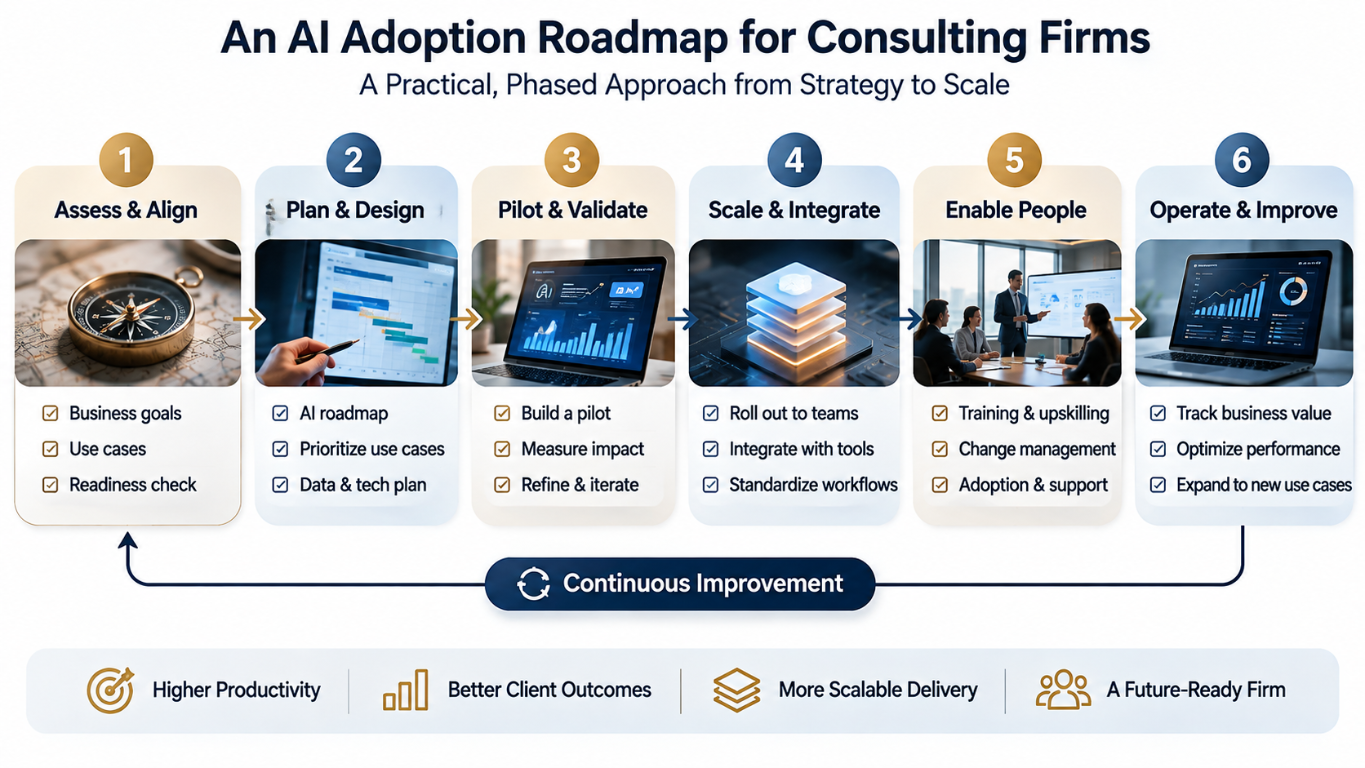
A practical adoption roadmap
1. Choose one contained workflow. Pick a task with measurable volume and a known business owner. Avoid starting with a process that controls money, safety or critical infrastructure.
2. Map the current process. Document inputs, decisions, systems, exceptions, approvals and the time spent by staff. Identify which steps are genuinely difficult to express as rules.
3. Establish a baseline. Record completion time, error rate, escalation rate, cost per task and user satisfaction. Without a baseline, it is difficult to know whether AI improved the process.
4. Start with the simplest architecture. Automate deterministic steps first. Add an AI-powered classification or extraction step if needed. Use an agent only when dynamic decisions and tool selection provide a real advantage.
5. Test before granting action permissions. Begin in a sandbox or read-only mode. Compare outputs with human decisions, measure accuracy and test failure scenarios.
6. Introduce bounded actions gradually. Add narrow permissions, approval checkpoints, action limits and a clear rollback or handoff process.
7. Review performance continuously. Monitor quality, cost, latency, exceptions and user feedback. Reassess the system when models, tools, data sources or business rules change.
The most effective approach may be a combination
The choice is not a contest in which AI agents must replace every workflow. Traditional automation remains a strong foundation for predictable operations. AI can make selected steps more capable of interpreting language and documents. Agents can coordinate more open-ended tasks when the value of adapting outweighs the added complexity.
For many organisations, the sensible architecture is hybrid: deterministic software handles permissions, transactions and repeatable steps; AI interprets information or recommends a path; and people remain accountable for consequential decisions.
The objective is not maximum autonomy. It is reliable work, completed with appropriate speed, cost, transparency and control.
Frequently asked questions
Are AI agents the same as RPA?
No. Robotic process automation typically follows scripted interactions and rules, often through application interfaces. An AI agent uses a model to make some decisions about the next step and may use APIs or other tools. The two can be combined.
Is every AI-powered workflow an agent?
No. A fixed workflow can call an AI model to summarise a document or classify a message without giving the model control over the overall process. That is an AI-enabled workflow, not necessarily an agent.
Are AI agents more accurate than traditional automation?
Not by default. Traditional automation can be highly reliable when its inputs and rules are stable. Agents can handle more varied situations, but their decisions and outputs can be inconsistent or wrong. Evaluate them against the actual task and a measured baseline.
Should small businesses use AI agents?
Some may benefit, but a small business should first identify a specific bottleneck and compare the cost and risk with a simpler workflow or off-the-shelf tool. A narrowly scoped agent can be useful; an unnecessary autonomous system can add complexity without creating value.
Can AI agents work without human supervision?
They can be configured to run with varying levels of independence, but the appropriate level depends on the task, permissions and consequences of failure. High-impact actions should have clear approval, monitoring and escalation arrangements.
Final perspective
Traditional automation is about making a known process repeatable. AI agents are about giving software a bounded ability to decide how to pursue a goal. The strongest business systems will use each where it makes sense—and will be explicit about where human judgment remains essential.
Further reading
- A business leader’s guide to working with agents — OpenAI
- A practical guide to building agents — OpenAI
- Building effective agents — Anthropic
This article is an independent educational editorial. Product capabilities and implementation details change; verify current vendor documentation and obtain appropriate legal, security and compliance advice before deploying systems in consequential workflows.